Authentication
The Macaron hosted model API authenticates requests with an API key created in the dashboard. There is no email/password flow for API clients — the dashboard login is for the web UI only.
Create an API key
- Sign in at the dashboard:
https://mint.macaron.im(outside Mainland China) orhttps://mintcn.macaron.xin(Mainland China). - Open API Keys and create a new key.
- Copy the key immediately. It is prefixed with
sk-and is shown only once.
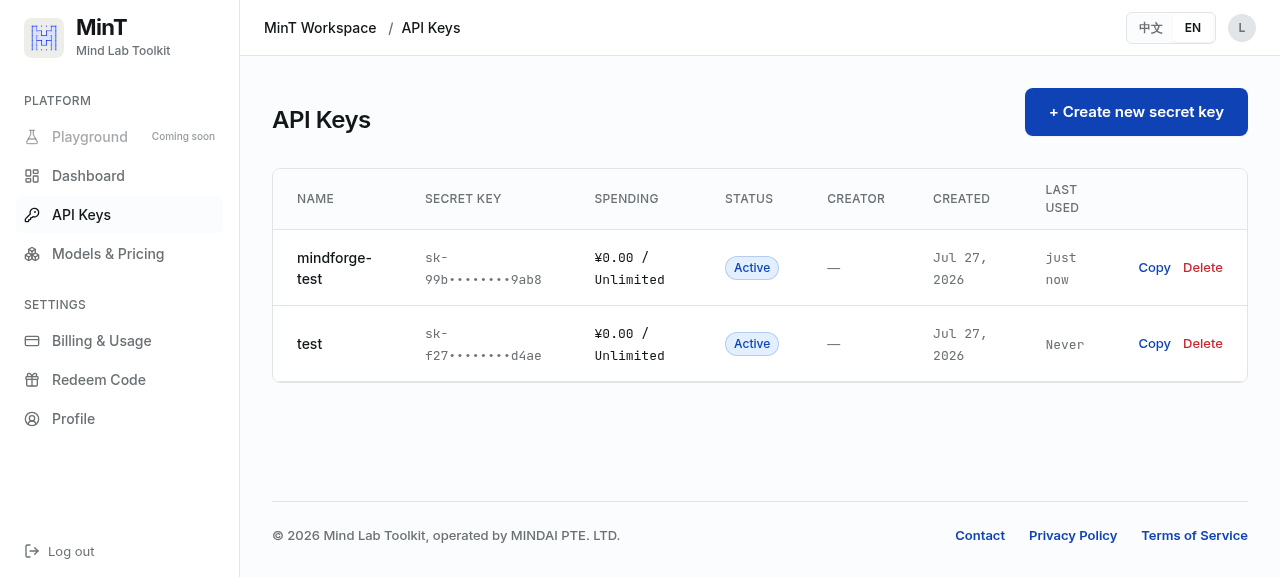
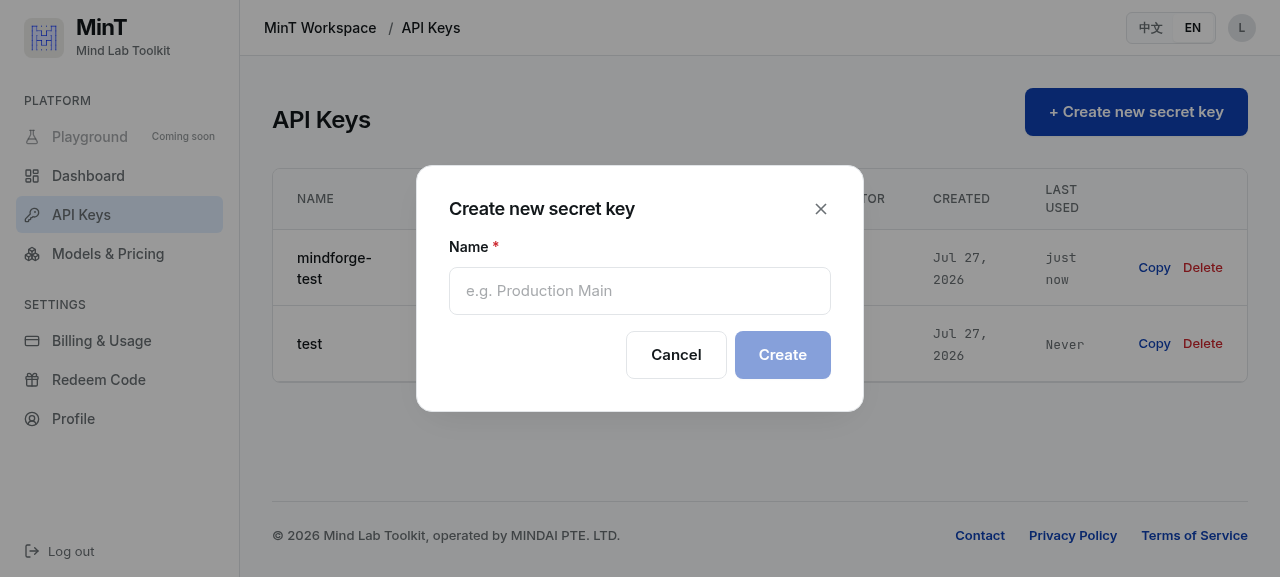
Treat the key as a secret. Do not commit it to source control or expose it in client-side code. The examples in these docs use the placeholder <MACARON_API_KEY>.
Use the key
Pass the key in the Authorization header as a bearer token on every request:
curl https://mint.macaron.im/v1/chat/completions \
  -H "Authorization: Bearer <MACARON_API_KEY>" \
  -H "Content-Type: application/json" \
  -d '{
    "model": "macaron-v1-venti",
    "messages": [{"role": "user", "content": "Hello"}]
  }'
For SDK and tool integrations that read the key from an environment variable or config file, see Integrations.
Regional endpoints
| Region | Base URL |
|---|---|
| Outside Mainland China | https://mint.macaron.im |
| Mainland China | https://mintcn.macaron.xin |
Use the endpoint closest to your users. Both serve the same model lineup and accept the same API keys.
Key management
- Keys are scoped to your account. If a key is compromised, rotate it from the dashboard.
- Usage and billing are tracked per key in the dashboard; see Usage.
- The dashboard reports your account's rate limits (RPM) and concurrency quota.